
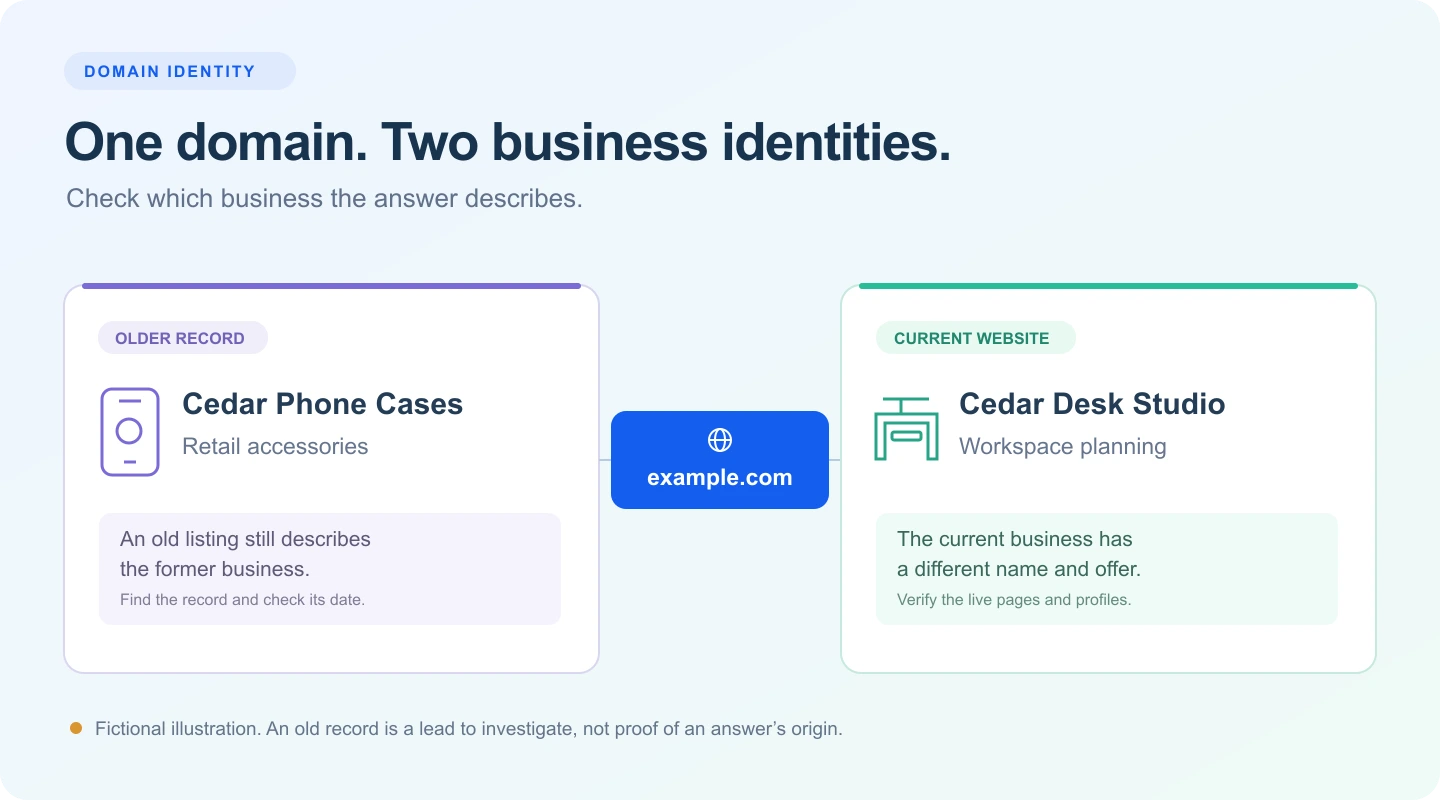
Your new website is live. The name is right, the About page is finished, and the products or services belong to your business. Then you ask ChatGPT about your domain. It describes a shop that closed years ago.
Before you rewrite the website, check whether the answer is describing a previous owner. A domain can carry a public history that has very little to do with the company using it today.
Save the answer, open its citations, and compare the description with your current website and any older records you find. Correct a specific record when you can establish what is wrong. An inaccurate answer alone does not tell you where the information came from.
The same address can describe two different businesses
A web address is not a complete business identity. An old directory entry may still associate it with a retailer, while the current website belongs to a consultancy. An archived page may use the same domain with a different name, logo and offer.
That is worth checking when the answer sounds like a coherent description of the wrong company, rather than a small mistake about yours.
In a public account of a domain identity problem, a founder said ChatGPT described their new AI visibility business as a former phone case store. The founder reported that the answer cited an old store listing associated with the domain’s previous owner.
The author disclosed that they ran an AI visibility service and had asked each question only once. They had not established whether their attempted corrections worked. Treat this as a reported example to investigate, not a controlled study or a proven fix.
Your own evidence matters more than whether another owner experienced something similar. Look for the exact old name, category or description in the answer you saved.
Record the answer before you change anything
Start with a question that gives the assistant the domain you actually own. For an initial manual review, you can use wording like this:
Search the web for example.com. What business operates at this website now? Link to the pages that support your description.
Then ask a separate question naming your current business:
What does [current business name] at example.com do? Use current public sources and explain if the identity is uncertain.
Replace the placeholders. Save the full answer and the links it actually provides. A request for sources does not establish that every statement is supported, so open the pages yourself.
Write down the date, platform, question, whether a search was visibly performed, and any relevant account or location settings. Use a fresh conversation so earlier explanations from you do not become part of the next answer.
These questions deliberately identify your website. They check how it is described. They do not show whether AI would independently recommend your business to a potential customer.
Look for the old identity outside the answer
Open every relevant cited page and look for the claim you are investigating. Does the page actually call the domain a phone case store, or has the answer attached a citation that does not support that description?
Next, check the domain in the Wayback Machine. Compare captures from before and after your purchase. The Internet Archive’s guide explains how to find earlier versions by address and date. An archive can help establish what a website used to say. It does not prove that ChatGPT consulted that archive.
Search Google and Bing for the domain, the old business name and a distinctive phrase from the incorrect description. You are looking for records you can inspect, such as old store directories, launch profiles, review pages or copied company summaries. Their presence in search does not prove they supplied a particular AI answer.
If the domain previously had a different owner, keep three dates separate: when the domain was registered, when your business began, and when your business started using the domain. The oldest date is not automatically your company’s founding date.
 View larger illustration ↗
Make the current business easy to identify
Your homepage should quickly establish the business name, what it does and who it serves. Your About page can explain the company, its people and its relevant history. Contact details and linked profiles should belong to the current business.
If repeated confusion is documented, a short, factual ownership clarification may help readers understand the change. You do not need to turn the entire homepage into a rebuttal of an AI answer.
Cedar Desk Studio is a workspace planning consultancy for small offices. We began using example.com in October 2026. The domain previously belonged to an unrelated retail business.
Use a statement like this only when it is accurate. The company and situation here are invented.
Check the less visible information too. A reused theme or imported website can retain an old title, logo, footer, contact detail or organization record even when the main page looks new.
Ask your website manager to review the name, website address, logo and profile links in your organization structured data. Google’s organization documentation explains how these details can help Google distinguish organizations. This is useful housekeeping, not a documented promise that ChatGPT will adopt a new identity.
Describe the relationship truthfully. If you acquired only the address, avoid presenting the former company’s reviews, staff or trading history as your own.
Correct the record you can actually verify
The next step depends on what you found. Keep your saved answer and the relevant page beside each other while you decide.
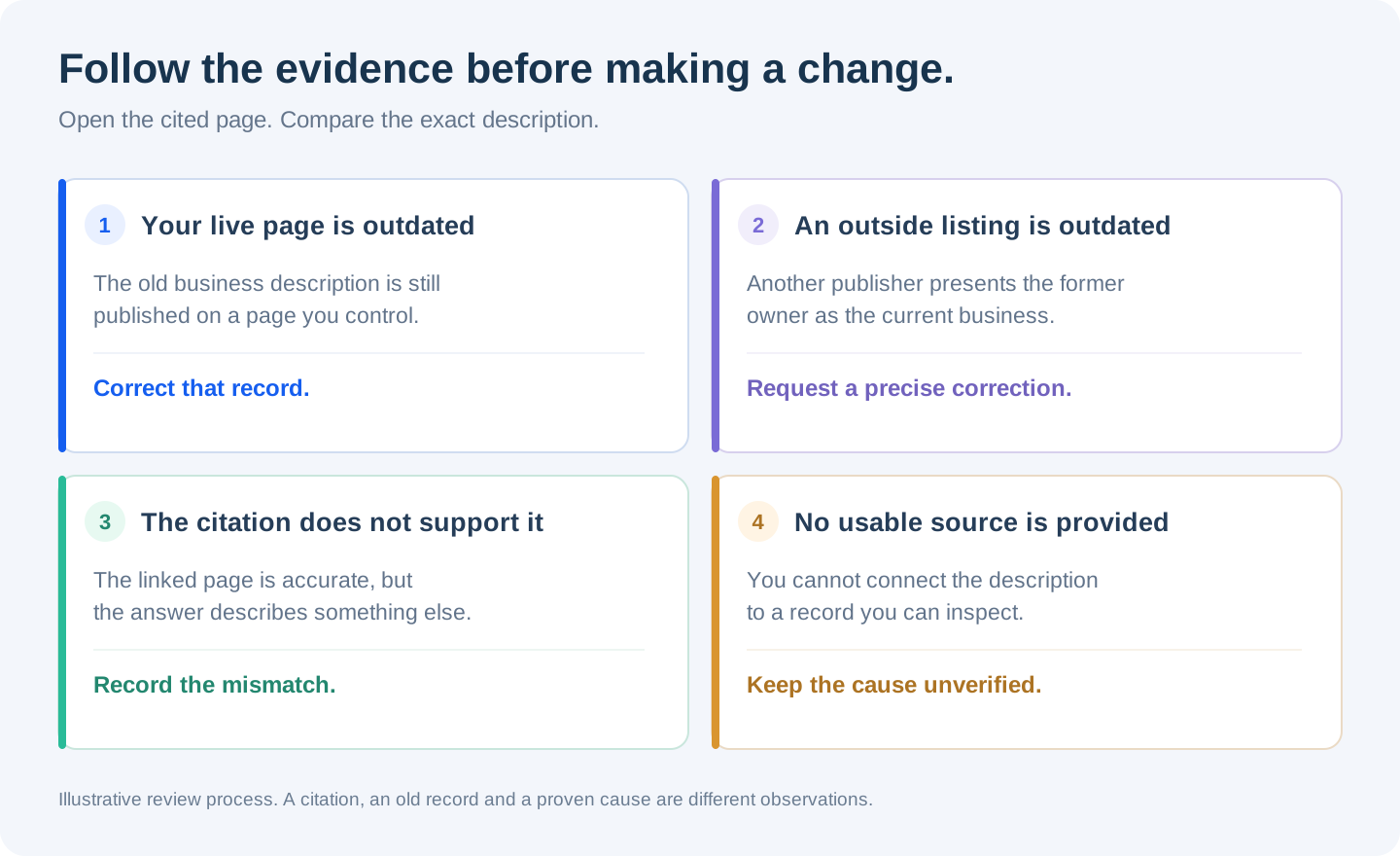
| What you find | What to do next |
|---|---|
| Your own live page still describes the former business. | Correct that page and check other places where the same old description remains. |
| An outside listing describes the former owner. | Ask the publisher to correct the current description or clearly label the entry as historical. Supply the precise page and a current source. |
| The cited page is current and does not support the answer’s claim. | Record the mismatch. Do not change accurate company information to accommodate the wrong answer. |
| The answer gives no usable source. | Keep the claim unverified. A separate search may uncover an old record, but do not assign a cause without evidence. |
A correction request works best when it is easy to check. Identify the entry, the sentence that is no longer accurate, the current business using the domain and a page that supports the correction. Explain whether you are asking for an update or a historical label. Owning the domain does not make an outside website’s past account of its former owner automatically false.
Inspect old addresses on your own domain before setting redirects. If an old page has a genuinely equivalent replacement, a redirect may be appropriate. Google’s site move guidance warns against sending unrelated old pages to a single homepage. Where content has been removed without a suitable replacement, ask your website manager to return an appropriate missing or gone status, such as 404 or 410, rather than serving the new homepage at every old address. Google documents how it handles these responses in its HTTP status guidance.
Check access, then compare later answers
Correct information still needs to be accessible. Ask your website manager to check that the important public pages load, do not require a login, and are not accidentally blocked by website security rules.
OpenAI distinguishes its search crawler from its crawler for potential model training. Its crawler documentation explains that website owners can manage those permissions separately. If appearing in ChatGPT search is your goal, review access for the search crawler specifically. Changing a crawler permission is not a way to erase every earlier answer about the domain.
For Google, you can inspect updated pages and request indexing through Search Console. Google says that a recrawl request does not guarantee inclusion or immediate updates. It also does not establish when another platform will change an answer.
When you choose to check again, reuse the saved questions under comparable conditions. Record each completed answer, its date and its citations. Several independent answers are more informative than one reassuring response after you have explained the correction in a conversation.
Track the result you can observe: whether the old description still appears, whether the current business is described accurately, and which sources accompany each answer. Avoid claiming that a website change caused an improvement merely because it happened first.
A domain identity checklist for your launch
Use this before launch, after buying an existing domain, or when an AI answer describes a business you do not recognize.
Review the description and the evidence together
If you already have an AI Search Signal report, open AI Visibility and review any collected business descriptions. Full answers and sources let you inspect the wording, available citations and dates. Fresh question checks and historical research remain separate.
A description check names your website in the question. Use it to investigate identity, while keeping independent discovery checks separate. An older report may not include these checks, and opening saved results does not collect missing answers.
Common questions
Does one wrong answer mean the domain is a bad purchase?
No. It is a reason to investigate the answer and the records it cites. One response cannot establish the domain’s overall suitability or predict how customers will find your business.
Will a new About page fix this immediately?
A clear About page helps people verify who operates the website. It does not guarantee when or whether an AI platform will produce a different answer. Correct any identified outside records too, and keep the results of later checks.
Should I remove every mention of the old business?
First distinguish a misleading current listing from an accurate historical record. Prioritize live content that misidentifies your business today. Preserve useful evidence while you decide what needs a correction, an explanation or no action.
Sources and editorial notes
Official guidance was checked on October 28, 2026. The practical review process is editorial advice. The public founder account is a reported experience, and the Cedar Desk Studio example and illustrations are fictional. No new AI scan or paid research was run for this article.
- OpenAI: Overview of OpenAI Crawlers. Search access and model training permissions.
- Google: Organization structured data. Information used to distinguish organizations.
- Google: Site moves and URL changes. Relevant URL mappings and redirect cautions.
- Google: HTTP status codes. Missing and removed page responses.
- Google: Ask Google to recrawl your URLs. Requests and their limits.
- Internet Archive: Using the Wayback Machine. Finding earlier website versions.
- A founder’s public account of a previous owner being described. Anecdotal, disclosed and not independently reproduced.